
Looking Back at the Mess We Started With
It’s December 27th, and somehow we made it through our first year!
If you’ve been following along, you know this blog started as a therapy journal in my journey of fixing my media server that kept falling. One tower doing everything. ISP router I’d never logged into. Backups that were “I should really do that.” The classic homelab setup.
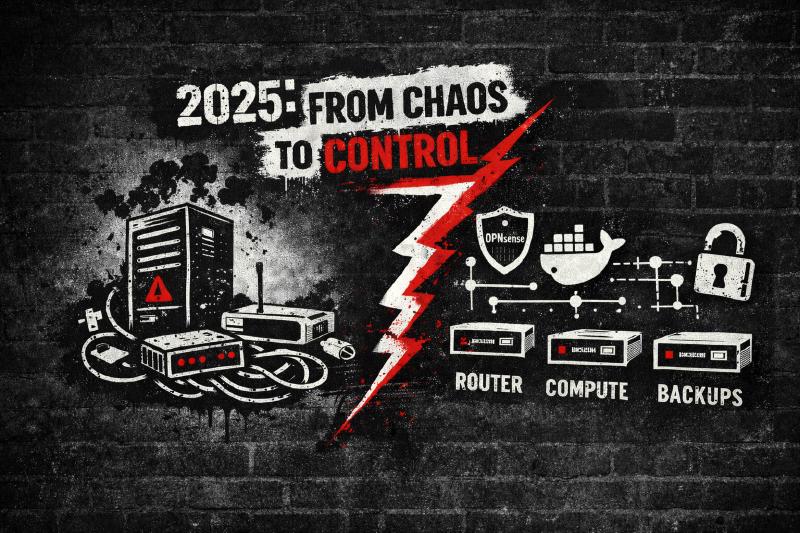
2025 was the year I finally stopped duct-taping problems and built something that actually works. Four boxes with dedicated jobs. Proxmox running things properly. Docker that doesn’t make me want to throw my keyboard. And yeah, actual backups that saved my ass more than once.
You asked the important questions. I burned my nights and weekends figuring shit out. Here’s a summary of what we accomplished in 2025.
The Big Picture
This year, DIYMediaServer turned into a complete blueprint for running your own media infrastructure. Not the “install Jellyfin and pray” tutorial. The whole thing: hardware, virtualization, networking, storage, automation, and the backup strategy that lets you experiment without worry.
If you’re still running everything on one machine with an ISP router, this 2025 review is your roadmap out. No enterprise budget required. Just better decisions and way fewer panic reboots during movie night.
The Wins: What Actually Got Published
I wrote a lot this year. Maybe too much. But every post came from a real problem I hit or a question one of you asked.
Hardware That Makes Sense
The four-box architecture was the turning point. Instead of one overworked machine doing everything badly, I split responsibilities:
The Router - Kicked the ISP router to modem-only duty and built a proper OPNsense box. VLANs, firewall rules, actual logs.
The NAS - Said goodbye to VM storage nightmares and USB drives hanging off Proxmox nodes. Dedicated hardware, proper HBAs, filesystems that won’t explode. My media library finally has a real and stable home.
The Compute Node - Apps got their own Proxmox box. One dead component used to take down everything. Not anymore. Compute crashes? Router and storage keep humming along.
The Backup Server - PBS finally got its own machine and became the “try anything without fear” box. Break something with an upgrade? Five-minute restore instead of rebuilding from scratch.
These weren’t abstract posts. They’re the exact setup I’m running, with all the gotchas I hit along the way spelled out, so you don’t have to.
Docker’s Comeback Tour
Remember when I was all-in on LXCs? Yeah, about that.
2025 was my public admission that I’d been fighting containers the wrong way. The LXC hell trilogy laid it all out: UID/GID nightmares, NFS permission walls, the “secure by default” trap that made simple media sharing an absolute nightmare.
I crawled back to Docker for the media stack and documented the whole journey. The Arr suite comparison showed exactly why throwing Radarr, Sonarr, and friends into Docker Compose is better than individual LXCs. Cleaner updates. Simpler mounts. One export to storage and done.
LXCs still have their place for lightweight services and utilities. But for media apps? Docker won, and I’m not too proud to say I was wrong.
But, I just might give LXCs another try in 2026 using a different mounting methods.
Automation That Actually Works
Your media stack should work for you, not the other way around. This year we built out the full automation chain:
Download management: SABnzbd, Radarr, Prowlarr guides that turn “I want this show” into “it’s already downloaded and sorted.” Complete with the Usenet vs torrents breakdown and SABnzbd vs NZBGet comparison.
Media processing: Tdarr running in an unprivileged LXC with QuickSync, letting your Intel iGPU chew through transcodes while you do literally anything else.
Profilarr will be covered in 2026 as an alternative to Tdarr.
The Boring Stuff That Saved My Weekends
Some posts won’t get much traffic, but they quietly prevent disasters:
- parted and mount points - So your drives don’t unmount on reboot
- UID/GID mapping in Proxmox - Ending the “Permission denied” screaming sessions
- HBA guide - Why cheap SATA cards will ruin your ZFS pool
- Debian 12 to 13 upgrade fix - The systemd credential bug that hit everyone on Proxmox 9
- SSH hardening - Stop leaving root login wide open
- The 24-hour NFS crash loop story - A debugging nightmare with MergerFS that taught me more about the kernel than I wanted to know
Each one small. Together? They turn “mostly works” into “boringly reliable.”
Network and Security Upgrades
The networking stack finally grew up:
Proper routing with OPNsense. VLANs separating family devices from the media stack from random IoT garbage. Pi-hole v6 on multiple nodes, synced with Nebula so your DNS actually stays consistent.
Not sexy stuff. But it’s the difference between “my Smart-Switch can somehow access my NAS shares” and “everything is where it should be and logged.”
What’s Missing?
Let me be honest about my documentation gaps, because 2026 needs to address them:
Remote access - I’ve barely touched this. You’ve got a great local setup, but accessing your media from outside your network safely? That’s the next frontier. I picked up a cheap VPS during Black Friday sales, and I’m building out a multi-part series on using it as a secure front door. Caddy for reverse proxy, Wireguard to tunnel back home, keeping your services and ISP IP hidden behind the VPS. No exposing ports directly. No hoping your ISP doesn’t change your IP. Actual security with the flexibility to access everything remotely.
NFS and MergerFS don’t play nice - The 24-hour crash loop story hinted at this, but there’s a bigger problem. NFS and MergerFS together create weird edge cases and performance issues I’ve been working around instead of fixing. Early 2026, I’m diving into VirtioFS as an alternative and rethinking how storage gets shared between Proxmox hosts and VMs. This one’s going to be a deep dive with real testing. I’ll be testing an alternative mounting method for MergerFS as well.
Monitoring and alerting - The stack is more stable now, but you’re still flying blind. When did that disk start filling up? Is Jellyfin actually responsive or just running? Uptime Kuma, Discord Alerts, Bash scripts, and simple health checks need to be covered.
Installing and Configuring Proxmox - I have talked about how I use Proxmox but, I haven’t documented how to install or configure it yet.
Hardware deep dives - The guides covered what to buy, but not enough on why. Power efficiency numbers. Noise levels. Heat management. Budgets from “I have $500” to “I can spend $2000.”
Recovery scenarios - PBS is set up, but I haven’t actually documented what a full restore looks like. Or migrating everything to new hardware.
The “complete stack” templates - I haven’t been great at creating good copy and paste solutions (Intentionally. I want you to learn not just copy and paste). But some of you have asked for more full “recipes” builds that are copy, paste, adjust to taste.
More debugging stories - I will be focusing on more real problems. The weird bugs. More Lightbulb moments documented. The “here’s what I tried that didn’t work before I found the solution.”
Where You Might Be Right Now
“Everything’s still in one box”
Start with the four-box hardware guide. Move routing off first, then storage. You don’t need to do it all at once, but every piece you split out makes the whole system more resilient.
“LXC permissions are killing me”
The LXC hell series is literally your story. Switch media apps to Docker, keep LXCs for the lightweight stuff. Your blood pressure will thank you.
“Backups? There’s a USB drive somewhere…”
PBS guide. Find a cheap mini PC, add a big drive, let Proxmox handle it. The first time you restore instead of rebuild, you’ll wonder why you waited.
“My ISP router… works?”
OPNsense build. One weekend. You’ll immediately see the difference when you can actually control what’s happening on your network.
“I’m new and this is overwhelming”
Start small. Pick the SSH hardening guide. Get one Arr app running. You don’t need the full four-box dream build on day one. Build confidence with small wins, then come back for the architecture.
Before and After
I want to be clear about what changed over the last year:
Before: One box doing everything. LXCs everywhere with permission nightmares. VM storage on a prayer. ISP router mystery settings. “Backups” = good intentions.
Now: Dedicated router, NAS, compute, and backup boxes. Proxmox with clear roles. Docker for media apps. Automated downloads with Radarr and SABnzbd. OPNsense with VLANs. PBS with actual tested restores.
Your homelab shouldn’t be a second job. It should work quietly in the background and let you actually use your media instead of constantly fixing things. Don’t get me wrong, tinkering is still fun, but I want to choose when to tinker or just sit back and enjoy a show or movie without the server interrupting.
What’s Next
2025 was foundations. Getting the architecture right, escaping container hell, setting up backups, and basic networking.
2026 is where we go deeper:
- Remote access allowing sharing with friends
- Monitoring and alerting that actually helps
- Complete stack templates you can copy
- More budget vs performance breakdowns
- Disaster recovery walkthroughs
- Ansible Playbooks
- Better MergerFS setup
- More real debugging stories
This blog exists because I got tired of forum posts from 2015 that assumed you already knew everything. The goal is making this stuff accessible. Not dumbed down. Just explained properly, with the context that matters. It is also forcing me to keep my skills sharp and to keep learning.
Setup One Thing Before New Year’s
You’ve got a week. Pick something from this year’s posts and do it:
- Move your routing to OPNsense
- Set up PBS
- Configure proper SSH hardening
- Get Radarr automating one library
One thing. Build momentum. Start 2026 with a win instead of another “I really should do that.”
You’re not just ditching Netflix. You’re building infrastructure you actually understand and control. That’s worth the effort.
Thanks for reading this year. See you in 2026.
Hit me up on Reddit or E-mail if there’s something specific you want covered. I’m making the list now.