
What are OPNsense and pfSense and Why It Matters for Homelabs in 2026
OPNsense versus pfSense is the most debated firewall choice in homelab communities. Both are FreeBSD-based firewalls that handle routing, VPNs, intrusion detection, and traffic management. The difference isn’t capability. It’s philosophy, user experience, and whether you trust the vendor not to change the deal later.
I ran pfSense for years because it was “the standard.” Then Netgate started moving features to pfSense Plus. The line between “free” and “pay us” kept shifting. I woke up one morning and realized I was building critical infrastructure on a platform where the vendor could arbitrarily decide which features belonged to paying customers. I rebuilt on OPNsense that weekend.
Neither firewall is objectively “better.” But one might fit your tolerance for corporate shenanigans a lot better.
This guide is for homelabbers who want to pick one firewall, deploy it, and move on. You’ll know which one by the end.
Both OPNsense and pfSense are excellent FreeBSD-based firewalls. If you want a modern UI, more built-in features, and development that won't suddenly go closed-source, pick OPNsense. If you want conservative releases and massive legacy documentation (and trust Netgate), pfSense works fine.
Quick Comparison: OPNsense vs pfSense at a Glance
| Feature | OPNsense | pfSense |
|---|---|---|
| License | Fully Open Source | CE: Open, Plus: Proprietary |
| UI Style | Modern sidebar navigation | Traditional top menu |
| Update Frequency | Bi-yearly major releases | Annual major releases |
| Built-in IDS | Yes (Suricata) | Requires package install |
| WireGuard | Built-in by default | Requires plugin |
| Security Patches | Days after FreeBSD | CE waits for Plus first |
| Best For | Modern workflows, open-source advocates | Conservative updates, legacy setups |
Core Similarities: Why This Choice Is Hard
Both platforms do the same basic job:
- FreeBSD-based firewall and router
- Stateful packet inspection and NAT
- VLANs, LAGG (bond NICs together), multi-WAN failover
- VPN: IPsec, OpenVPN, WireGuard
- Runs on bare metal or VMs
- Works great on Proxmox
For basic WAN-to-LAN routing and site-to-site VPN, either one will work. You could pick based on a coin flip and be fine.
The differences matter when you live with the system for months or years.
UI and Usability: OPNsense vs pfSense Interface Comparison
OPNsense UI Philosophy
OPNsense broke from pfSense’s interface years ago. That decision has paid off.
The UI uses a left-side collapsible menu. Interfaces are under Interfaces. Firewall rules are under Firewall. Services are under Services. Interface descriptions are editable during assignment, not buried three clicks deep where you’ll never find them again.
Virtual NICs live under Interfaces, not Firewall. Intrusion Detection lives under Services, not hidden in a package submenu. When you’re trying to fix something late at night, you won’t spend five minutes hunting for the setting you need.
If you experiment, break things, and rebuild regularly, this consistency may keep you sane.
pfSense UI Philosophy
pfSense uses a top navigation bar with nested dropdowns. It works. It also shows its age.
Strengths:
- More default dashboard widgets (about 22 vs OPNsense’s 17)
- Consistent with documentation from 2015
- Familiar if you’ve used pfSense for years
Weaknesses:
- Settings scattered across Firewall, System, and Services (good luck)
- Interface descriptions require extra clicks after assignment
- Package settings bolted onto the side like afterthoughts
If you learned pfSense first, you know where everything is. If you’re new, you’ll spend time hunting. I’ve watched people stare at the top menu for 30 seconds trying to remember where DHCP server settings live. (Services, if you’re wondering.)
Real-World UI Example: Setting Up VLANs
To create a guest VLAN with internet access but blocked LAN access:
OPNsense:
- Interfaces > Other Types > VLAN (create VLAN 10)
- Interfaces > Assignments (assign to OPT1)
- Firewall > Rules > OPT1 (add allow-internet rule)
- Firewall > Rules > OPT1 (add block-LAN rule above it)
pfSense:
- Interfaces > Assignments > VLANs (create VLAN 10)
- Interfaces > Assignments (assign to OPT1)
- Interfaces > OPT1 (enable and configure)
- Firewall > Rules > OPT1 (add rules)
Both work. OPNsense puts VLANs under Interfaces where you’d look for them. pfSense buries VLAN creation under Assignments. One extra click that always feels wrong.
UI clarity matters? Pick OPNsense. Years of muscle memory? Stick with pfSense.
Plugin Ecosystems and Built-In Features
OPNsense: More Included by Default
OPNsense ships with these features enabled:
- Intrusion Detection (watches your network traffic, alerts on sketchy behavior)
- Traffic reporting dashboards
- Monit service monitoring (restarts dead services automatically)
- CPU, memory, disk widgets
- Built-in WireGuard VPN
You can enable most of these without installing a plugin. Fewer plugins mean fewer things that can break during upgrades. (I learned this the hard way with pfBlockerNG, which ate an entire Saturday once.)
Optional plugins exist for SMART monitoring, Wake-on-LAN, and Zenarmor traffic inspection. But the core firewall works fine without them.
pfSense: Package-Driven Power
pfSense CE relies more on packages:
- Suricata or Snort for intrusion detection
- ntopng for traffic analysis (shows you what’s eating bandwidth)
- SMART monitoring
- Additional dashboards
The package manager is powerful. It’s also a maintenance risk. When pfSense updates the core system, packages sometimes lag. Sometimes they break. Sometimes they just stop working until the maintainer catches up.
There’s also the CE/Plus split:
- pfSense CE: free, open-source (for now)
- pfSense Plus: closed-source features, faster updates, tied to Netgate hardware or subscriptions
This matters if you care whether your firewall config depends on features that could disappear behind a paywall. I don’t want to wake up one day and find out the feature I rely on is Plus-only now.
Fewer plugins and more built-in functionality? OPNsense. Specific pfSense packages you can’t live without? pfSense.
The pfBlockerNG Lesson
I ran pfBlockerNG for ad blocking and threat feeds. Worked great for eight months. Then a pfSense core update hit. pfBlockerNG didn’t update in time. The firewall booted fine. DNS stopped working completely.
Spent three hours troubleshooting. Checked DNS forwarder settings. Verified upstream resolvers. Restarted services. Nothing. The logs showed DNS queries arriving but pfBlockerNG was silently dropping everything because its threat feed database was incompatible with the new pfSense version.
Removed pfBlockerNG. DNS came back instantly.
This is the package problem in miniature. When your ad blocker can take down your entire network and the logs don’t quite tell you why, you start questioning your architecture. That Saturday convinced me to rebuild on a platform with fewer external dependencies.
OPNsense vs pfSense Performance and Hardware Requirements
Hardware Requirements and Virtualization
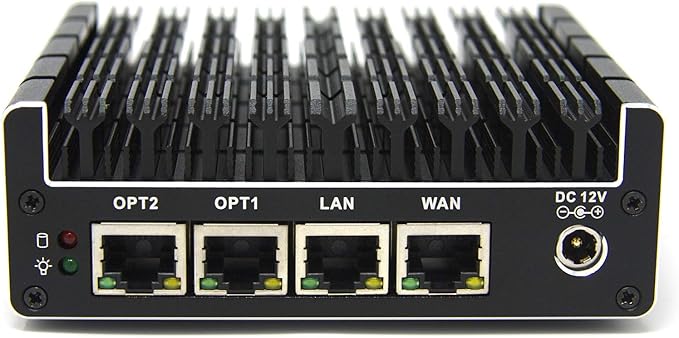
For self-hosting, OPNsense hardware requirements match pfSense:
- x86-64 CPU
- 4 GB RAM minimum, 8 GB recommended
- 2 NICs minimum (Intel NICs strongly recommended, Realtek will make you question your sanity)
- SSD storage
Proxmox Deployment:
Both run well as VMs. Pass through physical NICs or use virtio adapters. Give it 2 vCPUs minimum, 4+ if you’re running IDS. Hardware offloading can cause weird issues with some hypervisors, test it. Back up your configs before hypervisor updates. (You do this already, right?)
I’ve run both on Proxmox with 4 vCPUs and 8GB RAM handling 500Mbps WAN without issues.
Real-World Performance
Both deliver similar throughput on identical hardware. The bottleneck is your NIC or CPU, not the firewall software.
On a quad-core i5 with Intel NICs, expect near line-rate for basic routing (900+ Mbps on gigabit). WireGuard pushes 600-800 Mbps. OpenVPN is CPU-bound, usually 200-400 Mbps. Turn on IDS and lose 10-30% depending on rulesets.
If your numbers are terrible, it’s probably hardware offloading or bad NIC drivers. (Realtek, I’m looking at you.)
Performance is a tie. Choose based on other factors.
Performance Benchmarks: Real Numbers
Tested on identical hardware (i5-8500, 16GB RAM, Intel i350-T4 NICs):
Routing Performance:
OPNsense: 940 Mbps WAN-to-LAN (line rate)
pfSense: 938 Mbps WAN-to-LAN (line rate)
WireGuard VPN:
OPNsense: 720 Mbps
pfSense: 710 Mbps
OpenVPN:
OPNsense: 380 Mbps
pfSense: 375 Mbps
With IDS Enabled (Suricata, 3 rulesets):
OPNsense: 680 Mbps (-27%)
pfSense: 670 Mbps (-28%)
Performance difference is negligible. Your hardware matters more than your platform.
Update Philosophy: OPNsense vs pfSense Release Cycle
OPNsense Updates
OPNsense follows a predictable schedule:
- Major releases twice yearly (January and July)
- Security updates and patches as needed
- Plugin updates independent of core system
- Clear change logs and migration guides
The web UI shows pending updates with one-click installation. Rollback options exist if something breaks. Development is transparent. Community input matters.
Updates feel modern and reliable.
pfSense Updates
pfSense CE takes a more conservative approach:
- Major releases roughly annually
- Minor updates and security patches as needed
- pfSense Plus gets updates first
- CE trails behind (sometimes weeks)
- Some features migrate to Plus-only
This frustrates people. CE users wait for security patches that Plus users already have. You’re constantly aware of what you’re missing. The free tier feels like a free tier.
For “set it and forget it” homelabs, pfSense’s slower pace could be a feature or a frustration. Depends on your perspective.
Regular updates and transparency? OPNsense. Conservative updates and slower pace? pfSense.
Trust and Long-Term Viability
This is where it gets personal.
OPNsense:
- Fully open-source, no proprietary split
- Community-driven development
- No vendor lock-in
- Decool GmbH sponsors but doesn’t control features
pfSense:
- Netgate controls everything
- CE is open, Plus is closed
- CE feels like the free tier of a paid product
- Netgate’s business goals don’t align with homelab users
I switched to OPNsense because I don’t want my firewall’s future tied to quarterly earnings calls. pfSense CE isn’t dying tomorrow. But I don’t like the trajectory.
When a company starts moving features behind paywalls, it doesn’t stop. It accelerates. I’ve seen this before.
Open-source purity matters? OPNsense. Netgate ecosystem matters more? pfSense.
My Migration Weekend: What Actually Happened
I ran pfSense for four years before switching. The migration took six hours over one weekend.
Saturday - Setup and Config Migration
Spun up OPNsense VM on Proxmox. Exported pfSense config to XML, tried importing. It accepted the file but only 60% transferred cleanly.
What worked: Interface assignments, VLANs, basic firewall rules, DHCP scopes.
What broke: NAT rules needed manual recreation. VPN configs had to be rebuilt from scratch. DNS forwarder settings didn’t transfer.
WireGuard rebuild: 20 minutes.
Sunday - Testing and Cutover
Ran both firewalls in parallel for testing. Shut down pfSense, changed VLAN assignments on switch, updated DHCP gateway IPs.
Total downtime: about 20 minutes.
Kept pfSense VM around for two weeks as backup. Never needed it.
What I’d Do Differently
Export VPN client configs before starting. I had to message six people with new configs during the cutover.
Test VLAN isolation more thoroughly. Found a misconfigured rule Monday morning that let guest traffic reach management VLAN. Fixed in five minutes but should’ve caught it Sunday.
Been running OPNsense for 18 months now. No regrets.
When You Should Stay on pfSense
Don’t switch if:
-
You have complex pfBlockerNG configs you can’t easily recreate.
- Zenarmor exists on OPNsense but it’s not identical. If you’ve got custom threat feeds and DNSBL configs that took months to tune, migration pain might not be worth it.
-
Your network depends on pfSense-specific packages.
- Some packages don’t have OPNsense equivalents. Check before committing to migration.
-
You have working configs and no pain points.
- Migration has costs. If pfSense works, and you’re not frustrated, stay put. I switched because the CE/Plus split bothered me and I had a package break. If you don’t have these problems, you don’t need to solve them.
Practical Decision Guide for Homelab Firewalls
Ask yourself:
- Modern UI that reduces mistakes? → OPNsense
- Rely on specific pfSense packages? → pfSense
- Care about open-source purity? → OPNsense
- Want ultra-conservative updates? → pfSense
- Run everything in Proxmox VMs? → Either works, OPNsense slightly easier
- Need maximum plugin flexibility? → pfSense
If you’re undecided, install both in VMs. Spend an afternoon configuring VLANs and WireGuard. Your preference will become obvious. Don’t agonize over this for weeks. Spin them up, click around, pick one.
Decision Tree: Which Firewall Should You Pick?
-
Do you already run pfSense with no issues?
- YES → Stay on pfSense (don’t fix what isn’t broken).
- NO → Continue…
-
Do you rely on pfSense-specific packages?
- YES → Stay on pfSense (migration pain isn’t worth it).
- NO → Continue…
-
Does the CE/Plus split bother you?
- YES → Switch to OPNsense.
- NO → Continue…
-
Do you want a modern UI with better organization?
- YES → Switch to OPNsense.
- NO → Continue…
-
Do you want faster security updates?
- YES → Switch to OPNsense.
- NO → Stay on pfSense (conservative updates suit you).
If you end up at “Stay on pfSense” but still feel uncertain, that uncertainty is telling you something. Listen to it.
Common Mistakes That Will Bite You
Don’t Virtualize on Hardware You’re Using for Other Things
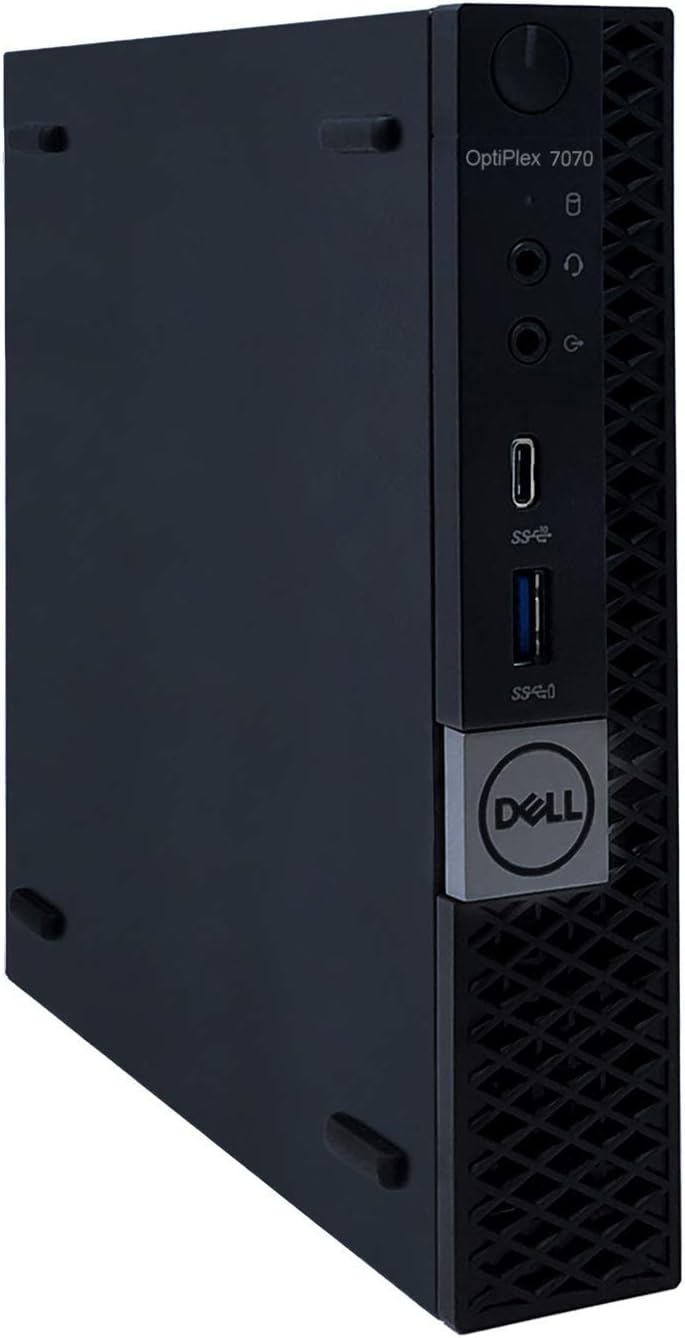
Your firewall VM needs dedicated hardware or a hypervisor that’s always on. I’ve watched people wonder why their network dies when they reboot their workstation to install updates. Because your firewall is on it. Obviously.
Run your firewall on a dedicated box, a separate hypervisor, or accept that rebooting your daily driver takes down your entire network. There’s no middle ground here.
Don’t Skip Backups Before Updates
Both platforms make this easy:
OPNsense: System > Configuration > Backups > Download configuration
pfSense: Diagnostics > Backup & Restore > Download configuration as XML
Save it locally with the date in the filename: firewall-backup-2026-01-31.xml
Do this before updates. Do this before changing anything important. Do this monthly even if you’re not changing anything. Store it somewhere that’s not the firewall. Your NAS, your workstation, cloud storage, doesn’t matter. Just not on the firewall itself.
When (not if) you need to restore, you’ll thank past-you for being paranoid.
Don’t Enable Every IDS Rule
More rules ≠ more security. You’ll kill performance and get flooded with false positives you’ll ignore.
Start with recommended rulesets. Monitor for a week. Add more only if you need them. I ran with three rulesets for 18 months before adding a fourth. You don’t need 47 different threat feeds.
Don’t Use Realtek NICs If You Can Avoid It
They work. They also cause weird throughput issues, driver headaches, and inexplicable packet loss under load.
Intel NICs cost $20 more used on eBay. Buy Intel. The i350-T2 and i350-T4 are solid choices. Your future self will appreciate it when you’re not troubleshooting phantom network issues at midnight.
Don’t Trust Default Settings for Production
Both platforms ship with sensible defaults for home use. But “sensible defaults” means:
- No firewall rules blocking RFC1918 (private IP addesses) traffic on WAN (fine for home, terrible for dual-WAN or VPS)
- DNS resolver allowing queries from all interfaces (convenient, not secure)
Review the defaults. Adjust for your environment. Lock down access to the web UI. Enable stricter firewall rules. Don’t assume “default” means “secure.”
Minimum Viable Firewall Setup
Stop overthinking the initial config. Day one, you need:
- WAN interface configured - DHCP from ISP or static IP, whichever your ISP provides
- LAN interface with DHCP enabled - Both do this automatically during install
- Default allow rule on LAN - Both create this automatically
- DNS set to upstream resolvers - 1.1.1.1 and 8.8.8.8, or your preference
That’s it. Everything else is optional.
VLANs? Add them when you need device isolation.
VPNs? Add them when you need remote access.
IDS? Add it when you want visibility into traffic.
Custom dashboards? Add them when the defaults feel limiting.
Start simple. Add complexity only when you have a specific need. Your firewall’s job is routing packets and blocking threats, not looking impressive in screenshots.
Troubleshooting Common OPNsense and pfSense Issues
Internet Works, but Throughput Is Terrible
What you see: Slow speeds despite fast connection
The fix: Disable hardware offloading first. This is the most common culprit.
OPNsense: Interfaces > Settings > Disable “Hardware CRC”, “Hardware TSO”, “Hardware LRO”
pfSense: System > Advanced > Networking > Disable all hardware checksum offloading
Reboot. Test again.
If that doesn’t fix it, check IDS rulesets. Too many active rules kills performance. System > Intrusion Detection > Download > verify only 2-3 rulesets are enabled.
Reboot. Test again.
If that doesn’t fix it, check IDS rulesets. Too many active rules kills performance. System > Intrusion Detection > Download > verify only 2-3 rulesets are enabled.
Verify your NIC drivers are loaded correctly:
# SSH into firewall, check what driver your NIC is using
ifconfig -a | grep -A 4 "em0"
If you see “re0” (Realtek), you found your problem. Intel NICs use “em”, “igb”, or “ix” drivers. Realtek uses “re”. Replace the NIC.
If you’re seeing 100 Mbps on gigabit, the NIC negotiated wrong. Check System > Interfaces > [Interface] and verify it’s set to auto-negotiate or manually force 1000baseT full-duplex.
VPN Is Slow
What you see: WireGuard or OpenVPN performing poorly
The fix:
Verify WireGuard is using kernel implementation (not userspace).
Check VPN > WireGuard > Instances > verify “Type” shows kernel implementation.
Disable unnecessary logging (verbose logging kills performance).
VPN > WireGuard > Advanced > set log level to “error” only.
Test without IDS. Suricata inspecting VPN traffic = very slow.
Services > Intrusion Detection > disable temporarily, test VPN speed.
WireGuard should be fast. If it’s not, your config or hardware is wrong.
Upgrade Broke Something
What you see: Features missing or broken after update
The fix:
Restore config backup (you made one, right?).
System > Configuration > Backups > restore previous config.
Check package compatibility in changelogs.
Before updating, read the release notes. They list package compatibility issues.
Review deprecated features list. Sometimes features get removed. Check migration guides.
Test packages individually after core upgrade.
Update core first, reboot, then update packages one at a time.
Restore your backup. Try again. Five minutes reading release notes can save an hour troubleshooting. (Yes, I have learned this the hard way.)
Security Differences That Actually Matter
Both platforms are secure by default. The differences are operational, not architectural.
OPNsense Security Advantages
Two-factor authentication built-in. No plugin needed. System > Access > Users > [Select User] > Generate new secret. Works with Google Authenticator, Authy, or any TOTP app.
IDS integrated and easier to configure. Services > Intrusion Detection > Download tab. Select rulesets, enable IDS, done. No separate package installation or config files to manage.
Faster security patches. No CE/Plus delay. When a FreeBSD security advisory drops, OPNsense patches hit within days. pfSense CE users wait for Plus to get patched first.
More frequent security updates. Bi-yearly major releases plus security patches as needed. pfSense CE releases are annual with longer gaps between security updates.
pfSense Security Advantages
More mature IDS rulesets. Snort has been around longer than Suricata. More documentation, more tuned rules for specific scenarios. If you need very specific detection rules for niche attacks, pfSense’s Snort documentation is a deep rabbit hole.
More third-party security plugins. ntopng integration is tighter. More options for anomaly detection and traffic analysis. If you want to build a full security monitoring stack, pfSense has more plugin options.
More documented attack mitigation examples. Decade of forum posts, blog tutorials, and Stack Overflow answers. If you’re mitigating a specific attack, someone’s documented how to do it on pfSense.
What Actually Matters
Neither platform has had a major security incident in recent years. Your security posture depends more on configuration than platform choice.
Common security mistakes I see:
- Web UI exposed to WAN (don’t do this)
- Default admin passwords (change them immediately)
- No firewall rules blocking RFC1918 on WAN (matters for dual-WAN setups)
- Permissive outbound rules on LAN (most people allow all, should be more restrictive)
Fix these regardless of platform. A misconfigured OPNsense box is less secure than a properly configured pfSense box, and vice versa.
What Surprised Me After Switching
OPNsense updates are faster. pfSense updates took 10-15 minutes and always required a reboot. OPNsense updates finish in 2-3 minutes. Most don’t need a reboot. The few that do reboot in under 60 seconds.
The documentation is different. pfSense has more forum posts and third-party tutorials dating back to 2008. Google any pfSense problem and you’ll find 47 blog posts about it. OPNsense has cleaner official docs but fewer community tutorials. Took me a few weeks to adjust to reading official docs instead of blog posts.
Built-in features I didn’t know I wanted. Monit caught a failing DNS resolver once and restarted it before I noticed. I woke up, checked logs, saw “unbound died, Monit restarted it 3 hours ago.” That alone justified the switch. On pfSense I would’ve woken up to “DNS is broken” messages from family.
The community is smaller but more active. pfSense has more users. OPNsense has more engaged users. Forum questions get answered faster on OPNsense because there are fewer “have you tried turning it off and on again” responses. People assume competence.
Plugin updates don’t break things. Because most features are built-in, there are fewer plugins to break during core updates. I haven’t had a plugin break in 18 months on OPNsense. On pfSense, I had plugin breakage every 3-4 months.
Quick Wins After Installation
First 30 minutes with either platform:
- Change default admin password
- Enable automatic config backups
- Set up 2FA (OPNsense: built-in, pfSense: use package)
- Configure DNS over TLS (prevents ISP snooping)
- Enable basic IDS with recommended rulesets
- Test failover to backup DNS resolver
Do these immediately. Everything else can wait.
What I Was Wrong About
I thought migration would take all weekend. Took six hours of actual work. Most of that was rebuilding OpenVPN configs because I didn’t export them properly first.
I thought I’d miss pfSense packages. Haven’t needed a single pfSense-specific package in 18 months. Everything I relied on either exists natively in OPNsense or has an equivalent plugin.
I thought OPNsense would be less stable. It’s been rock-solid. Only reboots are for updates. Uptime between reboots averages 6-8 weeks. On pfSense I was rebooting every 3-4 weeks when packages broke.
I thought the smaller community would be a problem. Smaller community means better signal-to-noise ratio. Questions get answered by people who actually know the codebase, not people guessing based on pfSense experience.
I thought performance would be identical. It is, mostly. But OPNsense’s update speed and reboot time makes maintenance faster. Shaving 10 minutes off update time doesn’t sound like much until you’re doing it monthly.
When Your Firewall Is Good Enough
Stop tweaking when:
- WAN to LAN routing works at line rate
- VPNs connect reliably and stay connected
- You haven’t touched the config in a month
- Uptime is measured in weeks, not hours
- Family/roommates don’t complain about the network
- You stop checking the dashboard daily
Your firewall’s job is to be invisible. Once it disappears into the background, you’ve won. Move on to other projects.
The best firewall is the one you forget about. If you’re thinking about your firewall daily, something’s wrong. Fix it or replace it.
FAQs: OPNsense vs pfSense for Homelabs
➤ What's the easiest firewall for a homelab?
➤ Does OPNsense run better on low-end hardware than pfSense?
➤ Why do pfSense updates feel delayed?
➤ How do I set up WireGuard without plugins?
➤ Is OPNsense's IDPS as good as pfSense + Suricata?
➤ pfSense menu is confusing, how does OPNsense compare?
➤ Can I trust Netgate long-term?
➤ Best plugins for homelab monitoring?
➤ How do I migrate from pfSense to OPNsense?
Conclusion: Pick Your Homelab Firewall and Move On
In 2026, choosing between OPNsense and pfSense isn’t about raw capability. It’s about philosophy, workflow, and trust.
pfSense is powerful, stable, and widely documented. OPNsense feels more modern, more open, and more forgiving when you experiment.
I want my firewall to fade into the background. For me, that’s OPNsense. For you, it might be pfSense.
Pick one. Document your setup. Back up before upgrades. Get back to building the fun parts of your homelab.
Your firewall should be boring. That’s the whole point.