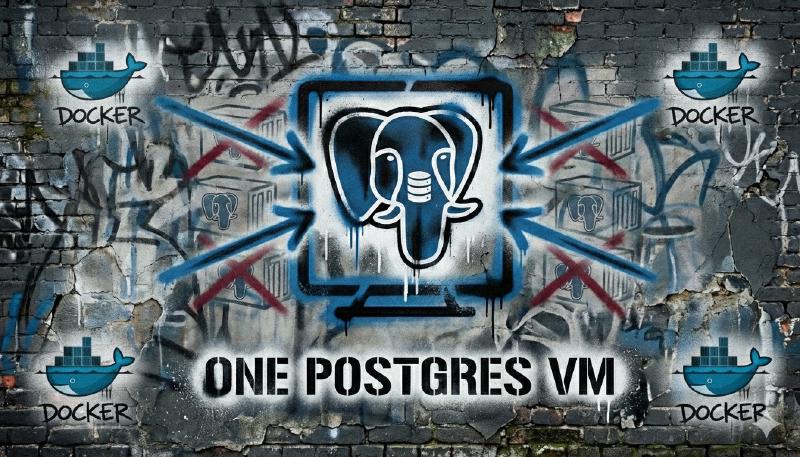
Why Consolidate Multiple PostgreSQL Databases Into One VM
If your homelab’s quietly accumulated half a dozen or more Postgres containers, one per Docker stack, you’re not alone. This is how it always starts: an app needs a database, the compose file spins one up, and you move on. Fast-forward a year or two, and you’re patching several Postgres containers, backing up all the seperate volumes, and troubleshooting six or more slightly different configurations.
Consolidating PostgreSQL databases into a single VM eliminates operational overhead. You get centralized backups, upgrades, and better resource utilization, critical time-savers for homelabs running 3+ databases across Home Assistant, Wiki.js, Immich, and monitoring stacks. One instance means one backup strategy, one patch cycle, and one tuning target instead of managing scattered containers.
I hit that wall myself. Managing six separate PostgreSQL containers felt like busywork instead of actual homelabbing. Consolidating them into a single Postgres VM changed that overnight. Fewer moving parts, simpler backups, and one place to tune database performance.
This post explains why consolidating your PostgreSQL databases onto one VM is often the better choice for intermediate homelabbers, how it simplifies management and backups, and when you absolutely shouldn’t do it.
Who should consolidate: Homelabbers running 3+ Postgres containers with low to moderate traffic workloads like Home Assistant, Wiki.js, and monitoring stacks.
Who should not: Those with high-write databases, strict isolation requirements, or apps that need different PostgreSQL versions.
Why Consolidating PostgreSQL Databases Matters
The hidden cost of “one database per stack” isn’t CPU or RAM. It’s operational overhead.
Every Postgres container means:
- Its own data volume
- Its own backup job (or worse, no backup at all)
- Its own upgrade and patch cycle
From an infrastructure perspective, this is wasteful. PostgreSQL’s shared buffer cache, background workers, and WAL processes all duplicate across instances. A single instance hosting multiple databases eliminates this duplication. In my own setup, memory usage dropped from 3.2GB across six containers to 1.8GB with one consolidated instance.
For a homelab where workloads are rarely extreme, consolidation’s usually a net win.

My Story: Death by a Thousand Containers
At one point, I was running six separate PostgreSQL containers:
- Home Assistant
- Wiki.js
- Immich
- A monitoring stack
- Two side projects I barely touched
Each had its own compose file and volume. When it came time to back them up, I had six cron jobs dumping databases in slightly different ways. When PostgreSQL 13 went end-of-life, I had to plan multiple upgrades.
After consolidating everything into one Postgres VM, backups became a single script, upgrades happened once, and adding a new database was a 30-second task instead its own mini-project.
One Postgres VM vs One Postgres Container Per Stack
The Container-Per-App Model
This model’s popular because it’s easy to start with:
- Drop a
postgres:image into your compose file - Link it to your app
- Forget about it
Pros:
- Strong isolation boundaries
- Easy to reason about for beginners
- App and database lifecycles are tightly coupled
Cons:
- Fragmented backups
- Repeated configuration and tuning
- Higher memory and disk overhead
- More patching and monitoring work
This approach scales poorly as your homelab grows.
The Dedicated Postgres VM Model
In this model, you run one PostgreSQL instance on a dedicated Postgres VM. Each app gets its own database and role inside that instance.
Pros:
- Centralized management and upgrades
- One backup strategy for all databases
- Better overall resource utilization
- Easier monitoring and performance tuning
Cons:
- Less isolation than separate containers
- Risk of resource contention if poorly sized
- Requires more up-front planning
For most intermediate homelabs, the pros outweigh the cons. You’re trading a bit of isolation for dramatically simpler operations.
Why a VM Instead of LXC or More Containers
Postgres VM vs LXC Container
Running PostgreSQL in LXC containers is tempting. They’re lightweight and fast. But for databases, the trade-offs matter.
VM advantages for PostgreSQL:
- Better I/O isolation under load
- Cleaner snapshot and backup integration with hypervisors like Proxmox
- Fewer surprises from shared kernel behavior
- Predictable fsync behavior with dedicated virtual disks
LXC advantages:
- Lower RAM overhead (200-500MB saved)
- Faster startup
Proxmox-specific considerations:
- Use VirtIO SCSI with “Write back” cache for VM disk performance
- If you’re on ZFS, disable sync writes for the VM dataset to avoid double-fsync
- For LXC, unprivileged containers require proper UID/GID mapping for Postgres
Here’s the thing: PostgreSQL’s sensitive to disk latency and I/O jitter. A VM gives you more predictable behavior, especially when multiple databases share the same instance. For a dedicated Postgres VM, this predictability’s usually worth the small overhead.
How Consolidating PostgreSQL Databases Simplifies Backups
This is where consolidation really shines.
With multiple containers, backups often look like this:
- Different schedules
- Different dump formats
- Different retention policies
- That one database you forgot about entirely
With one Postgres VM, you can choose a single approach:
- Logical backups using
pg_dumpfor each database - Physical backups using
pg_basebackup - Or a full-featured tool like Barman
Because PostgreSQL’s designed to host multiple databases in one instance, unified backups aren’t a hack, they are how it should be done.
Practical example:
#!/bin/bash
DATABASES=("homeassistant" "wikijs" "immich" "grafana")
for db in "${DATABASES[@]}"; do
  pg_dump -h localhost -U backup_user -d "$db" | gzip > "/backups/${db}_$(date +%Y%m%d).sql.gz"
done
Restores are simpler too. You restore one database, not an entire container volume. When you’re staring at a corrupted Wiki.js database, you’ll appreciate the difference.
Resource Utilization and Performance
Why One Instance Is Usually Faster
Every PostgreSQL instance has overhead:
- Background workers (autovacuum, stats collector)
- Shared buffers (typically 128MB default per instance)
- WAL processes
When you run six instances, you pay that cost six times. A single instance with six databases shares those resources way more efficiently.
The Noisy Neighbor Problem
The main risk is one database hogging resources. We’ve all been there, Immich decides to index 10,000 photos while Home Assistant’s trying to log sensor data.
Mitigations:
- Separate roles per app
- Per-database configuration settings
- Connection pooling with PgBouncer
- Monitoring query behavior
If one workload regularly exceeds 50% of available CPU or I/O, it might deserve its own instance. Consolidation’s not all-or-nothing.
Should You Consolidate Your PostgreSQL Databases?
Use this quick test:
- If your databases are mostly low to medium traffic, consolidate.
- If one database has heavy writes or constant load, consider isolating it.
- If you value simplicity over maximum isolation, consolidate.
- If uptime requirements differ wildly between apps, consider partial consolidation.
Many homelabs end up with a hybrid approach: one Postgres VM for most apps, and a separate instance for the outlier that’s constantly hammering the disk.
What Homelab Software Benefits Most
A dedicated Postgres VM works especially well for apps that already support external databases.
Common examples:
- Home Assistant
- Wiki.js
- Immich
- Monitoring stacks like Grafana
- Internal tools and dashboards
- n8n
These apps benefit from stable connections, predictable performance, and easy backups.
Media servers that use PostgreSQL for metadata also fit well, as long as write rates are reasonable.
High-Level Migration Strategy
At a high level, migration looks like this:
- Inventory your existing databases
- Build a dedicated Postgres VM
- Dump each database
- Restore into the new instance
- Update app connection strings
This is usually downtime-friendly for homelabs, but you can also stage it database by database if you’re paranoid about breaking everything at once. (I don’t blame you.)
Basic Setup for a Postgres VM
For larger homelabs (5-10 databases):
- 4 to 8 CPU cores
- 16 to 32 GB RAM
- SSD or NVMe storage
- PostgreSQL 16 or newer
For smaller homelabs (3-5 databases):
- 2 to 4 CPU cores
- 8 to 16 GB RAM
- SSD storage
- PostgreSQL 16 or newer
Key configuration ideas:
shared_buffersaround 25% of RAMeffective_cache_sizearound 75% of RAM- Conservative
max_connectionswith PgBouncer in front
These defaults give you room to grow without constant tuning. You can always optimize later when you actually have data showing where the bottlenecks are.
Security Considerations
Consolidation reduces the number of exposed services, which is good. But isolation now happens at the database level instead of the container level.
Best practices:
- One role per app
- Strong passwords or certificates
- Restrictive
pg_hba.conf - No shared superuser credentials
This isn’t less secure than containers if done correctly, but it does require discipline. Don’t get lazy and give everything the postgres superuser account because “it’s just a homelab.”
Troubleshooting Common PostgreSQL Consolidation Problems
One Database Is Slowing Everything Down
Symptoms:
- High CPU or I/O usage
- Other apps feel sluggish
- Your spouse complains that Home Assistant’s not responding
Fixes:
- Identify heavy queries with
pg_stat_statements - Limit connections per app
- Move the noisy database to its own instance if needed
Apps Cannot Connect After Migration
I know what you’re thinking: “I updated the connection string, why isn’t it working?”
Checklist:
- Verify
pg_hba.confallows the Docker subnet - Check firewall rules
- Test with
pg_isready
That last one’s saved me more times than I can count. If pg_isready fails, your app’s not going to connect either.
Backups Take Too Long
Options:
- Switch from logical to physical backups
- Run dumps in parallel
- Exclude rarely changed databases from daily dumps
Version Conflicts
You can’t mix PostgreSQL major versions in one instance. Period.
Solution:
- Upgrade all databases together
- Or run a second instance temporarily during migration
Yeah, this part’s finicky. Plan your upgrades carefully.
FAQs
➤ How do I prevent one database from starving others?
➤ What's the minimum VM size for 5 to 10 databases?
➤ Can I mix PostgreSQL versions in one instance?
➤ How does backup time change with consolidation?
➤ Is a VM really better than LXC?
➤ What apps work best with a shared Postgres VM?
➤ How do I handle high-write workloads?
➤ Does consolidation reduce Docker overhead?
➤ How can I migrate with minimal downtime?
➤ What tools help monitor contention?
➤ Are there security risks?
Resources

Conclusion
Consolidating all or some of your PostgreSQL databases into one dedicated Postgres VM is one of those changes that feels scary at first and obvious in hindsight. You trade a bit of isolation for dramatically simpler management, cleaner backups, and better resource utilization.
For my homelab, moving away from six separate containers was a relief. One upgrade, one backup strategy, one place to look when something goes wrong.
If you’re juggling multiple Postgres containers today, consider consolidation. Start small, monitor closely, and split workloads only when the data tells you to. Your future self, restoring a database in the middle of the night, will thank you.